
Team Management for Growing Teams
The company is the top level in Taskee: it holds the people, the roles and the permissions that every project below it inherits. Signing up creates the company and makes the person who signed up its owner, and the setup asks for three things — a company name, a domain, and the time zone the company works in. Colleagues join by invite link or by email invitation, and the Team section keeps the list of everyone in the company along with their general information. Roles are where access is decided: choose from the standard roles or build your own by configuring the permissions each one should carry. Those permissions are what decide who can stop a colleague’s running timer, who can add time to someone else’s task, and who can change what. This page covers company setup, invitations and roles in the interface, which teams need custom roles, and how the company layer relates to projects and tasks.
What the company layer decides Link copied!
Every tool that more than one person uses has to answer three questions: who is here, what may each of them do, and what does everyone share by default. In Taskee those answers live at the company level, and everything underneath inherits them.
The one that has the most day-to-day consequence is the time zone. A company that works across several countries and has not set this deliberately gets deadlines that mean different things to different people, and reports whose days start in the wrong place. It takes ten seconds at setup and is tedious to reason about later.
Roles are the answer with the longest tail. They are not really about restriction — in most teams almost everything is open on purpose — they are about who is accountable for the operations that change shared numbers. Stopping a colleague’s timer and adding time to someone else’s task both alter what reports say; tying them to a role keeps the numbers attributable rather than merely editable by whoever happened to be looking.
The practical advice is to keep roles few and meaningful. Roles that map to how the team actually divides responsibility survive; roles invented for a single exception get forgotten and quietly become wrong.
Create company Link copied!
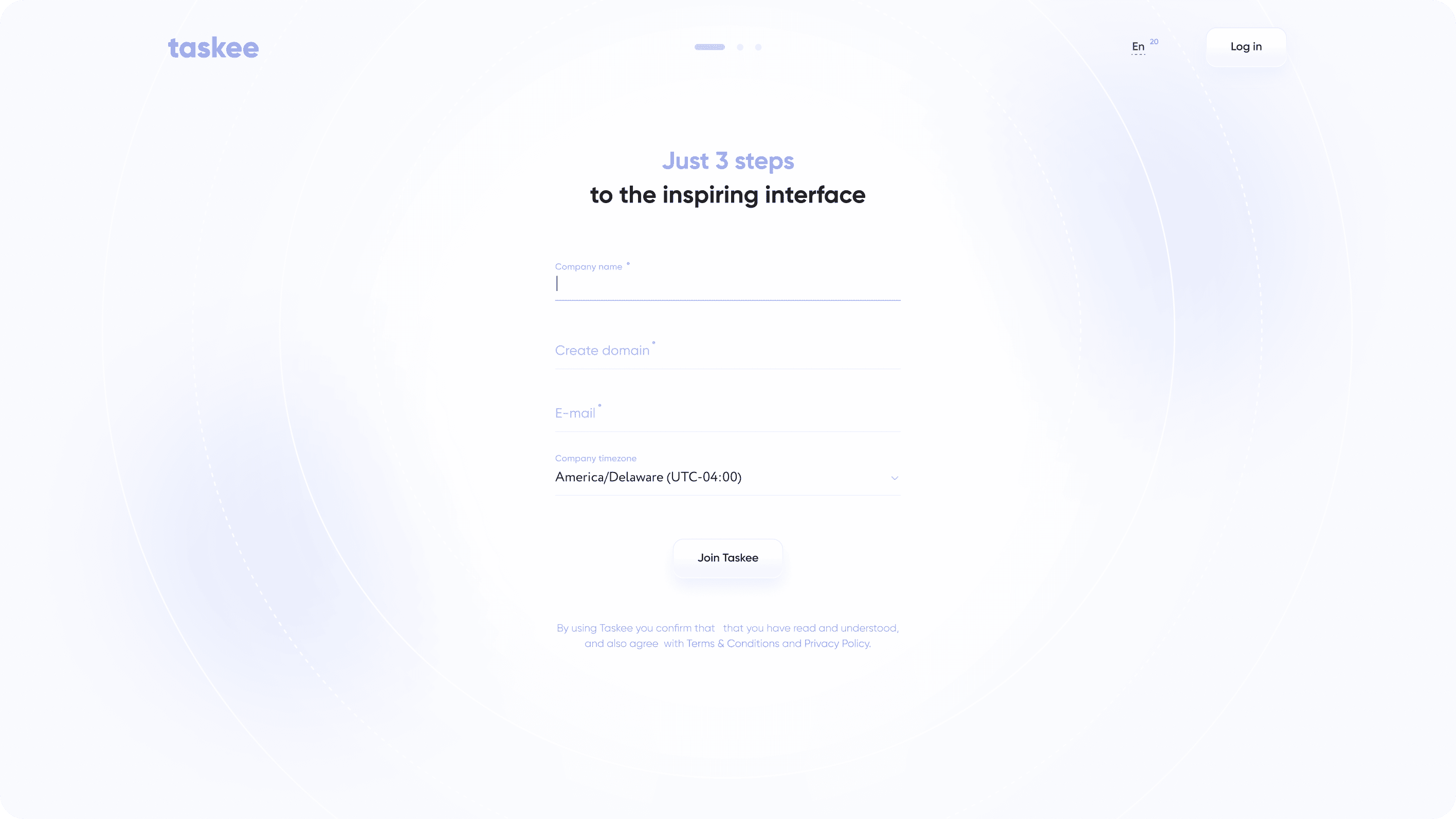
Signing up on Taskee includes creating a company and signing up a user as the company owner. Fill in the mandatory fields to create a company: name your company; create a domain for your company — you can give the domain the same name as your company has; choose your company’s time zone.
The domain is the company’s address inside Taskee, so it is worth choosing something people will recognise and type without thinking, which for most teams means the company name itself. The time zone is the setting to get right at this moment rather than later: it is the reference every deadline and every daily total in reports is read against, and it is the difference between “due Friday” meaning the same thing to everyone and meaning three different things.
Signing up also establishes the owner. That is the account with the broadest access by default, and it is the starting point from which the rest of the role structure gets built.
Invite users to company Link copied!
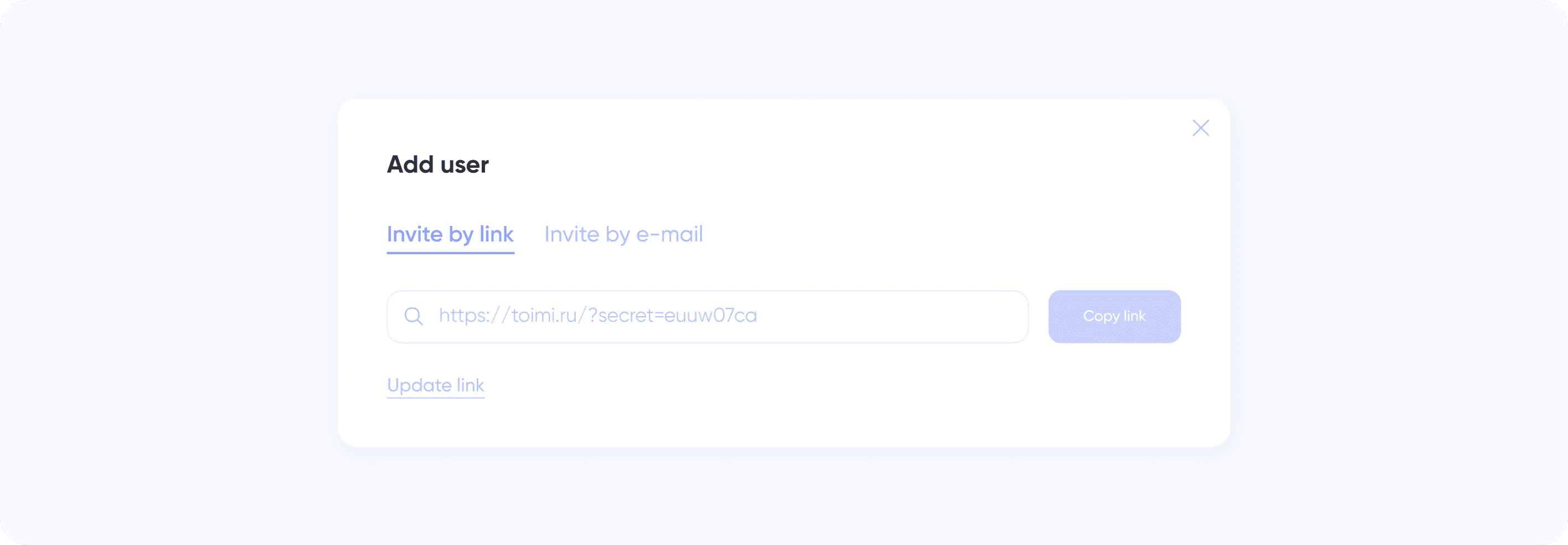
For collaborative work on projects and tasks add your colleagues to the company. To add users to the company: invite them over the invite link; email your invitation. You can manage employees and see general info about them in the Team section.
The two invitation routes suit different situations. An invite link is the fast path — drop it in the channel the team already uses and people join themselves, which is what you want when eight people are joining on the same afternoon. Email invitations are the deliberate path, addressed to a specific person, which is what you want for a contractor, a client-side collaborator or anyone joining alone.
The Team section is the answer to “who is actually in here”, and it is worth revisiting periodically. Access lists grow monotonically unless somebody prunes them: people finish engagements, change teams and leave, and the list only reflects that if it is maintained.
Team, roles Link copied!
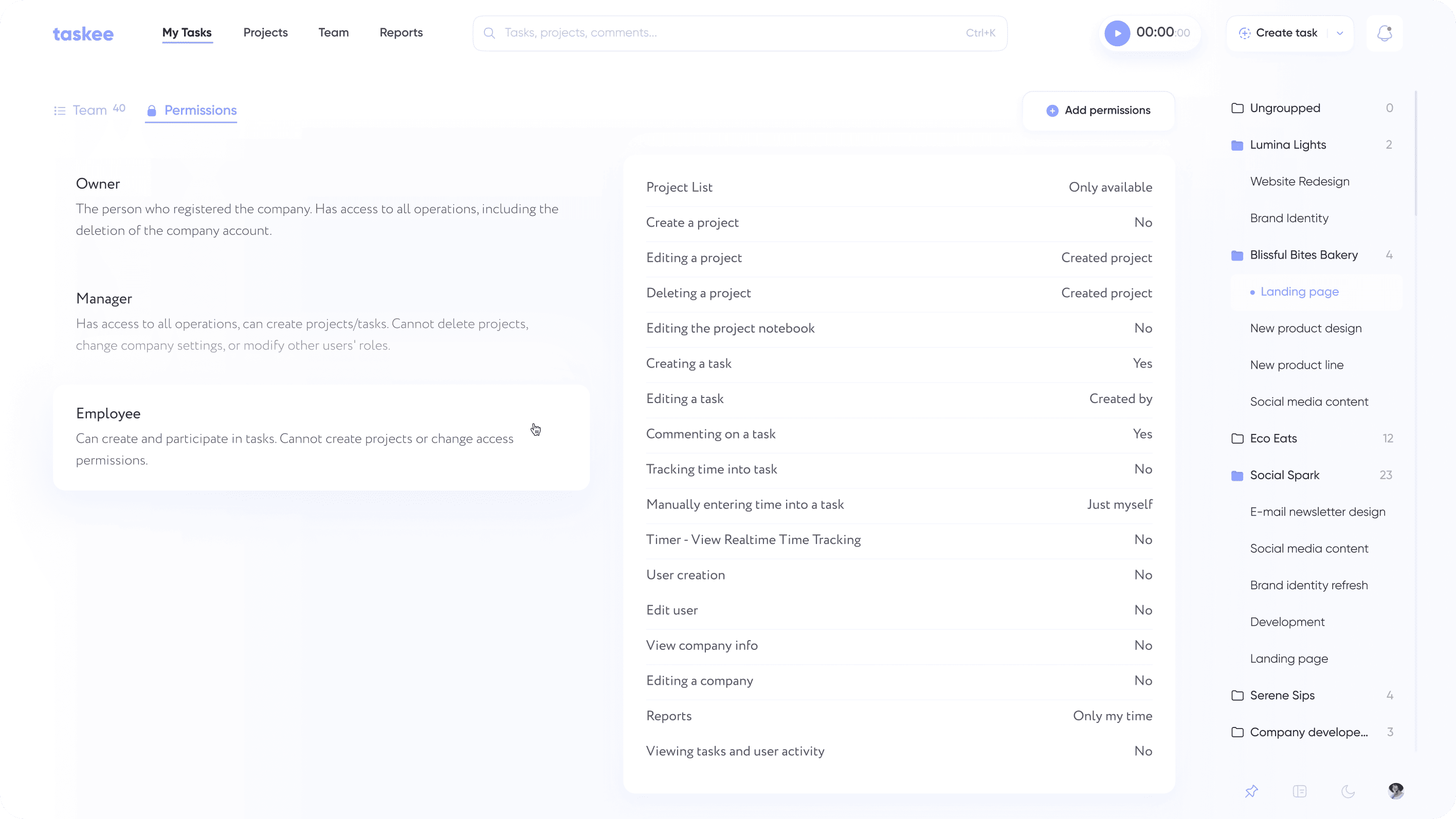
You can create and set up rights of the roles for each team member inside Taskee. At the Team page, roles tab, choose among the standard roles or create new ones, by configuring relevant permissions for each role.
Standard roles cover the common shape of a team and are the right starting point. Custom roles earn their place when the team has a responsibility that the standard set does not name — a coordinator who needs to correct other people’s tracked time but is not managing the company, a client-side reviewer who should see a project without being able to reshape it, an analyst who reads reports and changes nothing.
The permissions worth deciding consciously are the ones that touch shared numbers: who may stop a colleague’s timer, and who may add time to another person’s task. Those two operations are how tracking mistakes get corrected, and they are also how tracked hours could be quietly changed. Whom you trust with them is a real decision, not a default.
Who needs to think about roles Link copied!
The company layer is set up once by everybody; the amount of care it deserves varies a lot.
Companies with mixed internal and external people — contractors, agencies, client-side reviewers — need custom roles most, because “everyone sees everything” stops being acceptable the moment someone outside the company is in the workspace. See agencies and consulting.
Teams where tracked time becomes money need the timer permissions decided deliberately, since those rights determine who can adjust what gets billed. See finance teams and freelancers working with subcontractors.
Growing companies hit this when the team passes the size at which everyone knows everyone. Roles are how a team keeps working the same way after it stops fitting in one conversation. See startups, small and medium business and HR teams.
Distributed companies care most about the time zone and about invitations that work without an administrator in the loop. See remote teams and management teams.
Company, project team and assignee Link copied!
Three different senses of “who is on this”, easy to mix up.
The company is everyone in your Taskee workspace, and it is where roles and permissions are defined. That is this page.
The project team is the subset of the company added to a particular project. Adding people to a project is part of project creation, and it can be done to existing projects at any time.
The assignee is the one person in charge of a single task — see task management. Task subscribers are different again: anyone can follow a task to be notified about it without being responsible for it.
Roles cut across all three. A person’s role is company-wide, so it applies in every project they are part of rather than being set per project.
Set up your company and invite the team — get started in Taskee. Adding people does not change the bill — see pricing.


