
Project Management for Teams
Running a project in Taskee means setting the rules the work inside it follows. Deadlines are set when the project is created or edited, and the About Project tab keeps the target date next to the total time the team has spent — plan and actual in one view. Statuses are the project’s own: every project starts with a standard set that you rename or extend, and those statuses become the columns on the board and the states in every filter. Tags come from standard sets or from custom groups you define, and a task can carry several, which is what makes a large project navigable. The Recent Activity tab is the running record of what has happened, and the Notes tab holds the project’s written context and files, with a version history and the name of whoever edited last. This page covers each of these in the interface, the teams that need them, and where project settings stop and task work begins.
What managing a project actually involves Link copied!
A project is not a folder of tasks. It is a set of decisions that every task inside it inherits: what states work can be in, what vocabulary describes it, when the whole thing is due, who is on it, and where the shared context is written down.
Those decisions are why the same tool can suit a two-week campaign and an eighteen-month build. A short project usually keeps the standard statuses and adds nothing. A long one accumulates real stages — specification, build, review, staging, released — and its board becomes a genuine map of how work moves. The tool does not impose the process; the project settings are where the team’s process is written down.
Two of these settings are worth more attention than they usually get. Statuses are the shape of your workflow, and a project that never revises its statuses is usually a project where the real workflow has quietly drifted away from the recorded one. And the Notes tab is where the reasoning lives — the decisions, constraints and links that would otherwise exist only in the memory of whoever has been on the project longest.
Set deadlines Link copied!
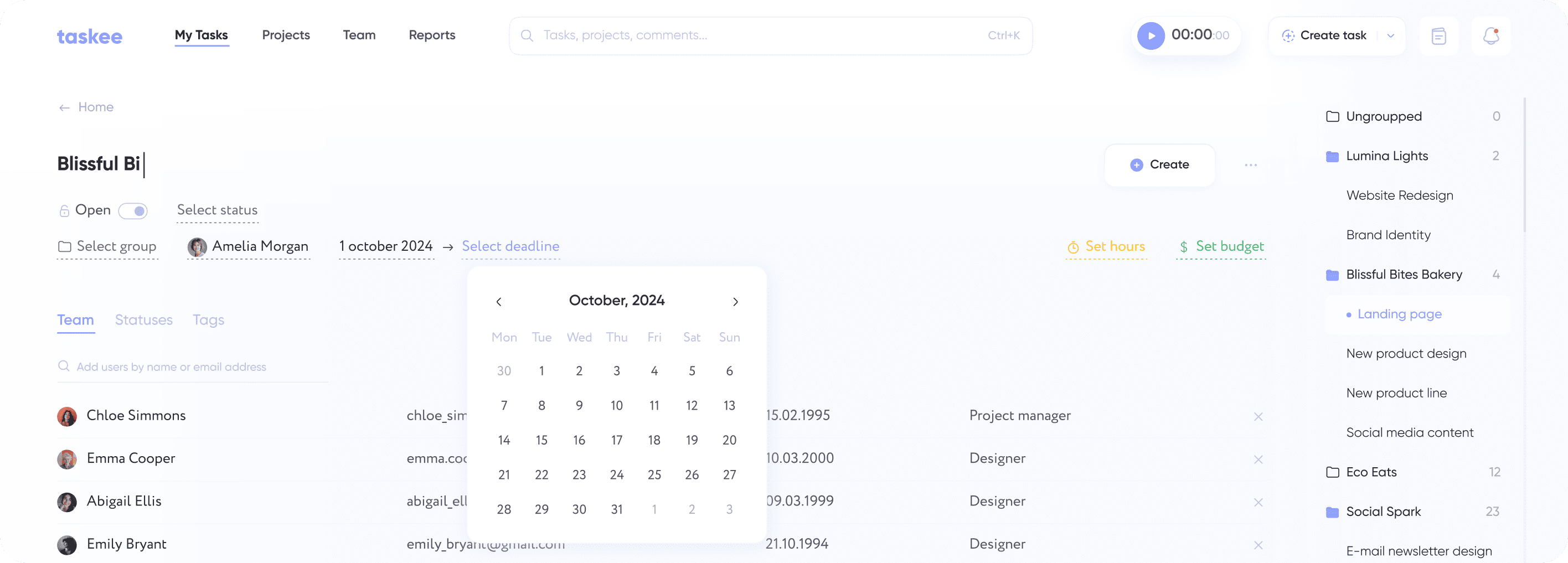
You can set project deadlines when either creating or editing the project. Open the project and go to the About Project tab. Here you can set project deadlines and track the time that the whole team spent on the project.
Having the deadline and the accumulated time on the same tab is the useful part. A deadline on its own is a hope; a deadline next to the hours already spent is a position. Two weeks left with most of the estimated effort already consumed is a conversation to have now rather than in the last three days, and the About Project tab is where that becomes visible without anyone assembling a report.
Set up statuses Link copied!
Set up project task statuses for easy tracking of tasks both in the list and on Kanban. When creating a project, you automatically get standard statuses that can be changed by adding new ones or renaming them according to your needs.
Statuses are the single highest-leverage setting on a project, because they define the columns of the board and therefore what the team sees every day. The useful discipline is to have a status for every place work genuinely waits. If items regularly sit finished-but-not-reviewed and there is no review status, that queue is invisible, and invisible queues are where deadlines go. Adding the status makes the wait measurable, which is usually the first step to shortening it.
The opposite failure is also real: a project with fourteen statuses produces a board nobody can read. Start with the standard set, add a status when you can point to work actually waiting there.

Customize tags Link copied!
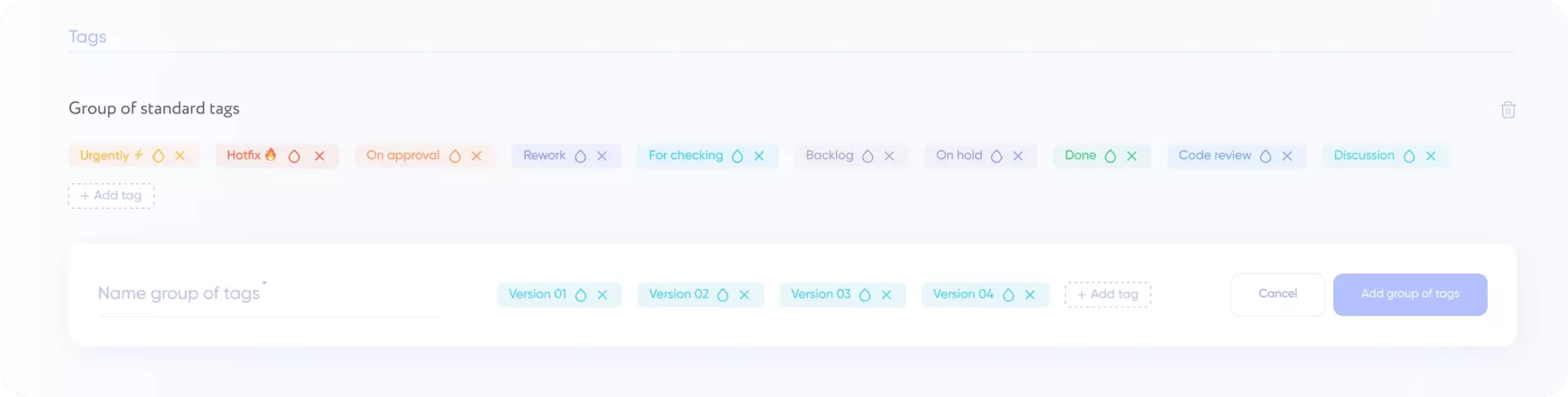
Set project tags: choose from the standard tags or create your own custom groups. Tags help structure the tasks. Each task can have several tags to facilitate project navigation and control.
Statuses answer “what stage is this at” and there is exactly one answer per task. Tags answer “what kind of thing is this”, and a task can have several — which is why tags carry all the dimensions a single status field cannot: the component, the client, the channel, the release.
Custom groups are what stop tags collapsing into a flat pile. Grouping keeps related labels together so people pick from a short, meaningful list instead of inventing a near-duplicate every time. In a project that runs for months, that is the difference between tags being a navigation system and being decoration.
Follow performance Link copied!
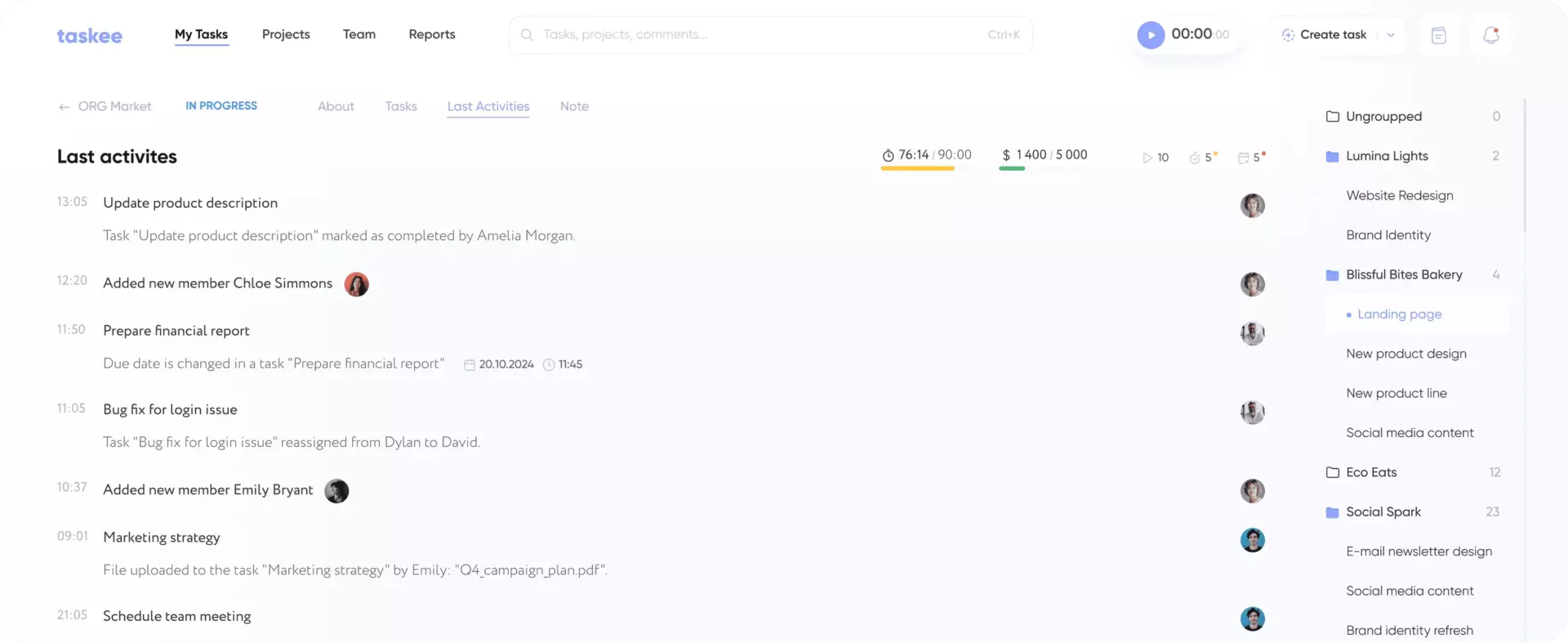
The Recent Activity tab shows all actions on the project to keep you up to date on the team performance.
This is the catch-up view. Coming back from a week away, the question is not “what is the state of everything” but “what changed while I was gone”, and an activity stream answers it in the order things happened. It is also the least intrusive way for a lead to stay current: reading the record of what moved costs nobody else an interruption, unlike asking four people for an update.
Project notes Link copied!
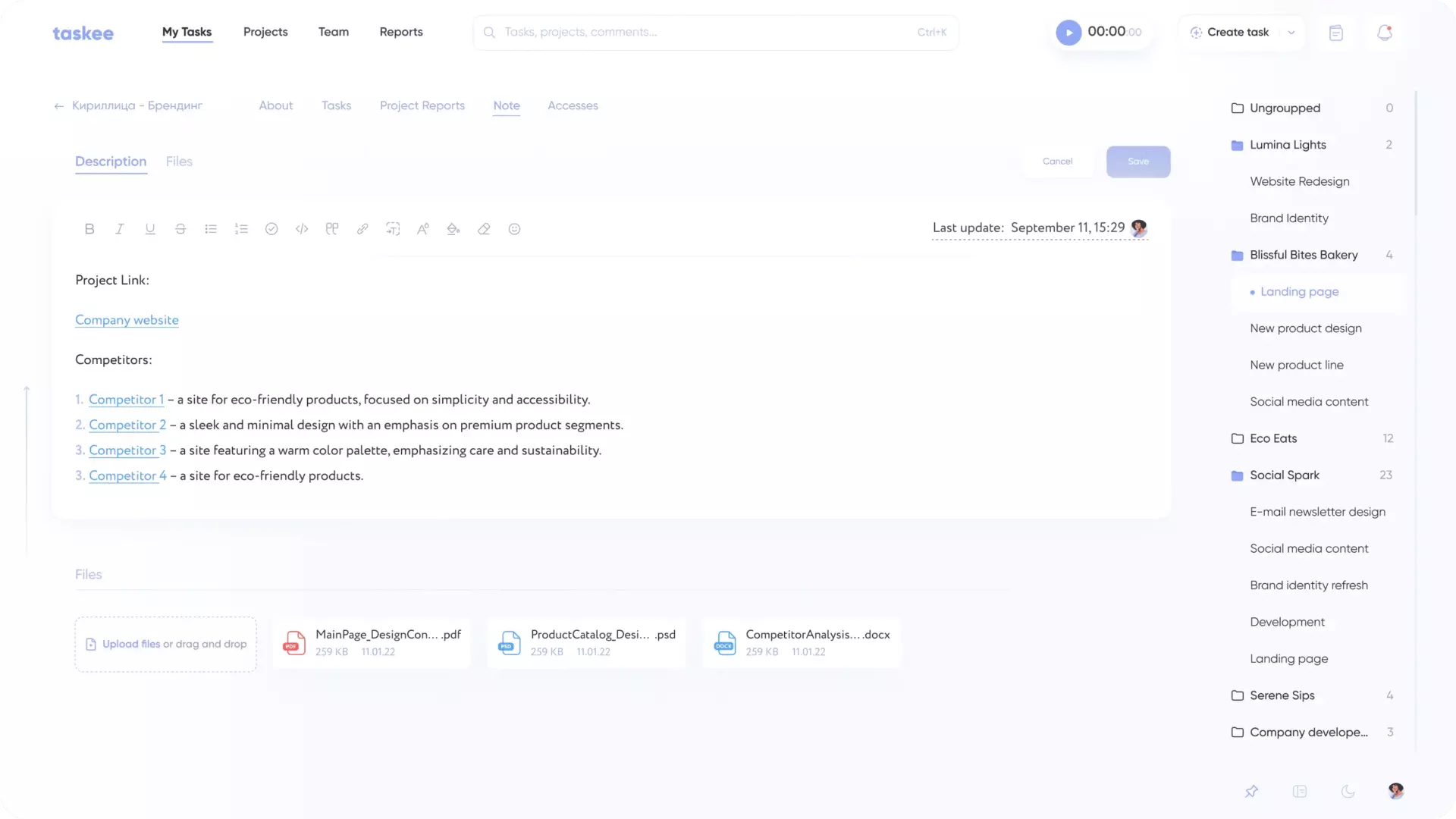
The Notes tab has a text editor and a file storage. Here you can keep general information and project files. You can see who edited the notes last and get back to any previous version if needed.
Notes are where a project stops depending on one person’s memory. Access details, agreed scope, naming conventions, the reason a particular approach was rejected — none of that belongs to a single task, and all of it is what a new person needs on day one.
Version history is what makes the notes safe to edit. Shared documents that cannot be rolled back tend to become read-only in practice, because nobody wants to be the person who overwrote something important. Being able to see who edited last and return to any previous version removes that hesitation, and notes that people are willing to edit are notes that stay accurate.
Which teams need the project layer Link copied!
Everyone creates tasks. The project layer earns its keep when work has structure that outlives a single item.
Delivery teams with real stages need custom statuses more than anything else here, because the board is only as useful as the workflow it reflects. See IT teams, engineering and product development.
Client-facing teams run many projects at once with the same shape, and need deadline-against- effort visible per project rather than in aggregate. See agencies and consulting.
Teams that must be able to hand a project over — because of shifts, rotations or turnover — depend on the Notes tab and the activity record. See operations, management teams and remote teams.
Teams whose projects follow regulation or a fixed method get value from statuses being explicit and from an activity record that shows what happened when. See manufacturing and finance teams.
Managing a project vs creating one vs working in it Link copied!
Three neighbouring things, easy to confuse when you are looking for a setting.
Project creation is the setup: making the project, putting it in a group, adding people, getting it onto the sidebar. You do it once.
Project management — this page — is the ongoing configuration: deadlines, statuses, tags, the activity record and the notes. You return to it whenever the way the team works changes.
Task management is the daily work inside those rules: creating tasks, assigning them, discussing and closing them.
And when you want to know where the project’s hours went rather than where its tasks are, that is reports, fed by time tracking.
Set up a project the way your team actually works — create a company in Taskee. There is no per-seat or per-project tier — see pricing.


