
Task Management for Teams
A task in Taskee is the unit everything else is built on. It carries a deadline, a person in charge, a status, tags and a priority, and it is the thing a timer runs against and a report counts. Tasks are created from wherever you happen to be — the Create Task button in the menu, or the plus sign on the My Tasks page — so capturing work takes seconds and does not interrupt what you were doing. Once a task exists, the conversation about it lives on it: mentions, comments and reactions sit next to the work instead of in a chat thread that scrolls away. User Activity shows who is watching, tracking and commenting, and anyone can subscribe to be notified when the task changes. Finishing work means closing the task, which takes it off the list and off the board. This page covers how tasks work in the interface, who they suit, and how they relate to projects, boards and time tracking.
What a task carries Link copied!
Every tool that manages work has to decide what its smallest unit is and what that unit knows about itself. In Taskee the unit is the task, and it holds five things that matter downstream: who is responsible, when it is due, what state it is in, what it is about, and how urgent it is.
That set is deliberately small, and each element pays for itself somewhere else in the product. The assignee is what makes a board filterable by person and a report splittable by employee. The status is what puts the card in a column. The tags are what let a project with two hundred tasks be navigated by theme rather than by scrolling. The deadline is what makes a list sortable into something that resembles a plan. The priority is what settles an argument about order without a meeting.
The second thing a task holds is the discussion. Comments, mentions and reactions live on the task, which means the reasoning behind a decision stays attached to the work it changed. Six months later the question is never “what was decided” but “why”, and a task that carries its own thread answers it without an archaeology expedition through chat history.
Ways to create a task Link copied!
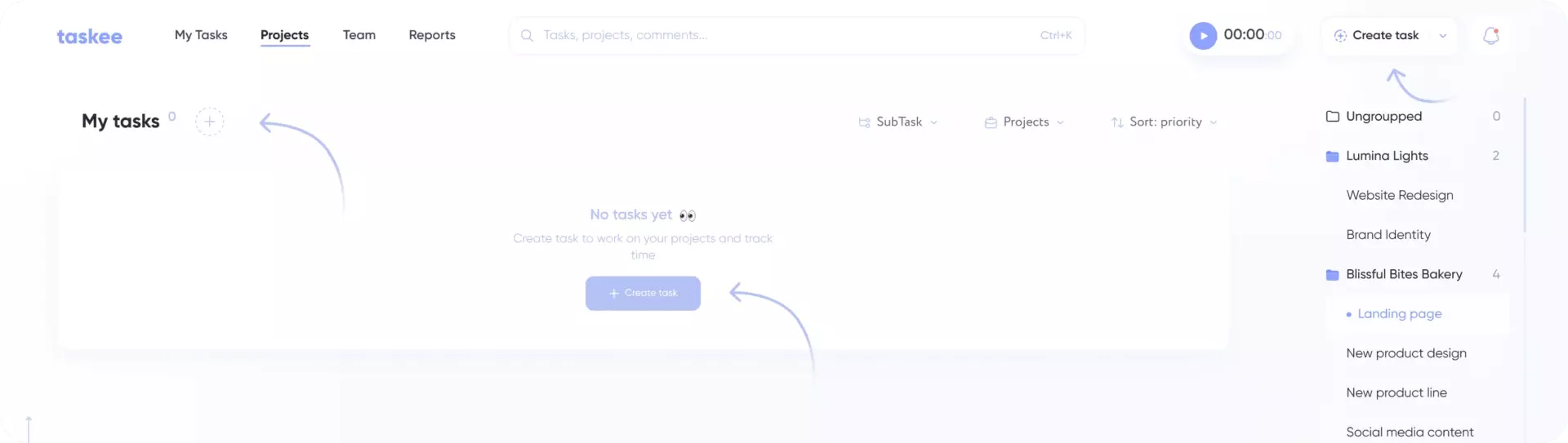
There are several ways to create a task: through the Create Task button on the Taskee menu, or go to the My Tasks page and hit the plus sign near the heading.
Having capture available from the menu matters more than it looks. Work arrives while you are doing something else — in a call, in a corridor, halfway through another task — and the tasks that get lost are the ones that needed a detour to write down. A create control that is present on every screen means the cost of capturing a thought is a click, which is roughly the point at which people stop keeping a private list on the side.
Create task Link copied!
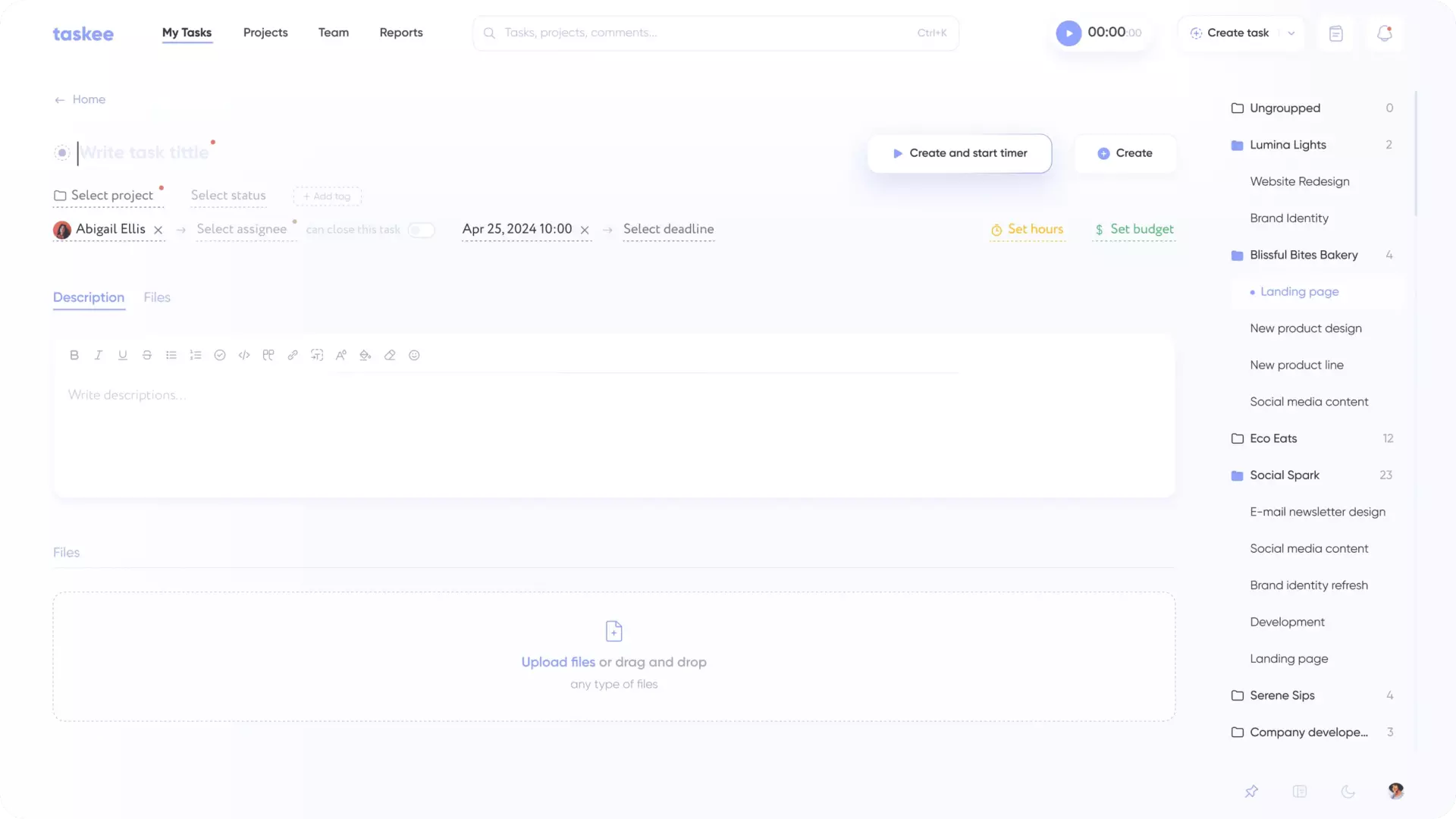
When creating a task, you can add all relevant information: set deadline, assign person in charge, specify status, tags and task priority.
Filling these in at creation time is worth the extra few seconds, because each field is what some later view is built on. An unassigned task is invisible in a per-person filter. An untagged task is unreachable by theme. A task with no deadline sorts to the bottom of every list that is ordered by date, which is a slow way of deciding it does not matter. None of the fields are mandatory — a task can be captured now and completed later — but a task that arrives with its fields set is a task that the board, the filters and the reports can all see.
Collaborate on tasks Link copied!
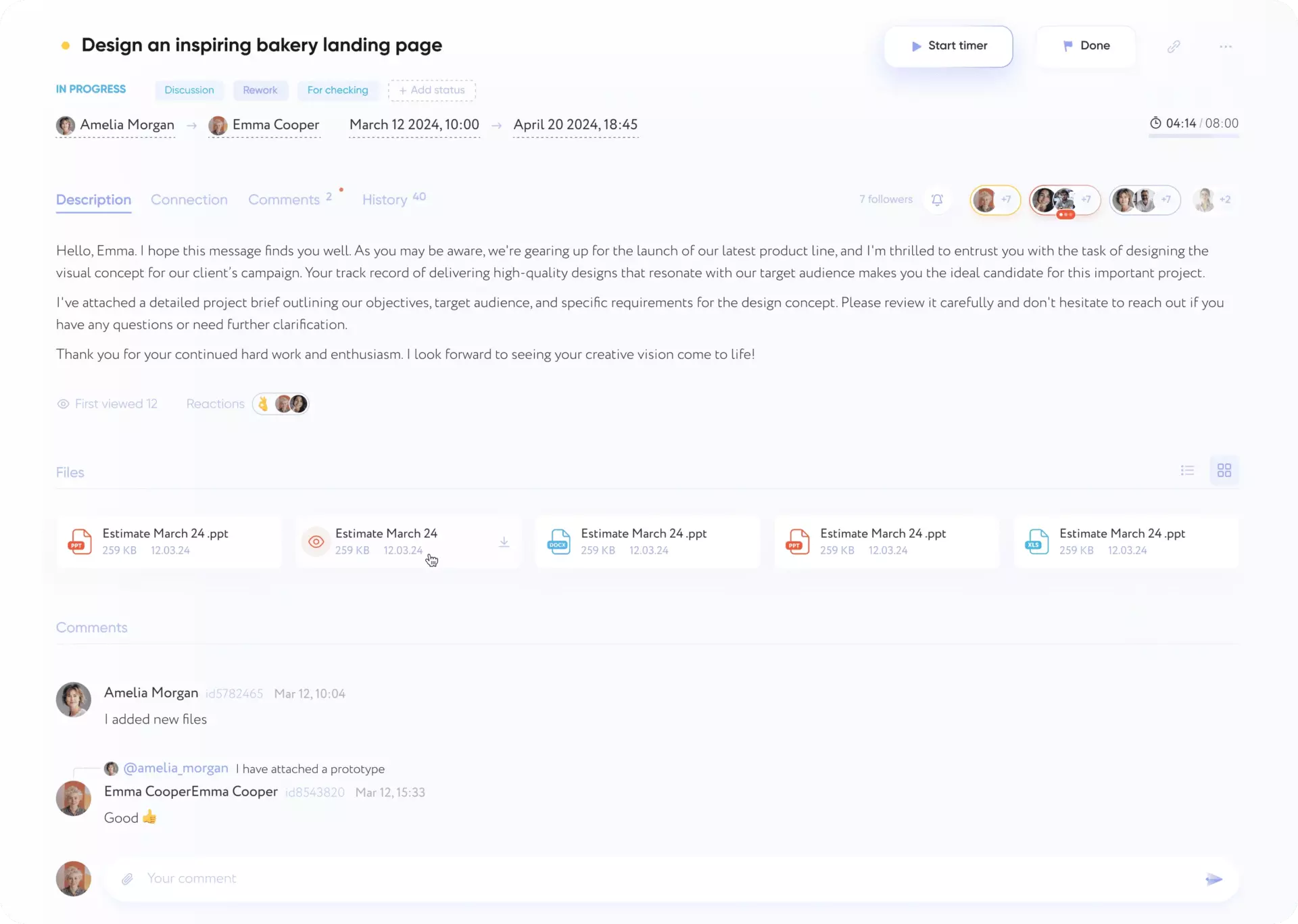
On the task page you can find who sees, tracks and comments the task in User Activity. You can also subscribe to the task to get notifications on task status and always be up to date on the changes. Mention colleagues in the task description, leave comments and react to discuss working matters easier.
Subscription is the piece that keeps notifications from becoming noise. Rather than everyone receiving everything, people opt in to the specific tasks they need to hear about — a lead following the two items on the critical path, a reviewer following the thing waiting on them. User Activity answers the related question from the other side: before chasing someone, you can see whether they have actually seen the task.
Reactions are smaller than they look. A large share of comment traffic is acknowledgement — “yes”, “agreed”, “seen it” — and a reaction carries that without adding a comment somebody else then has to read.
Close task Link copied!
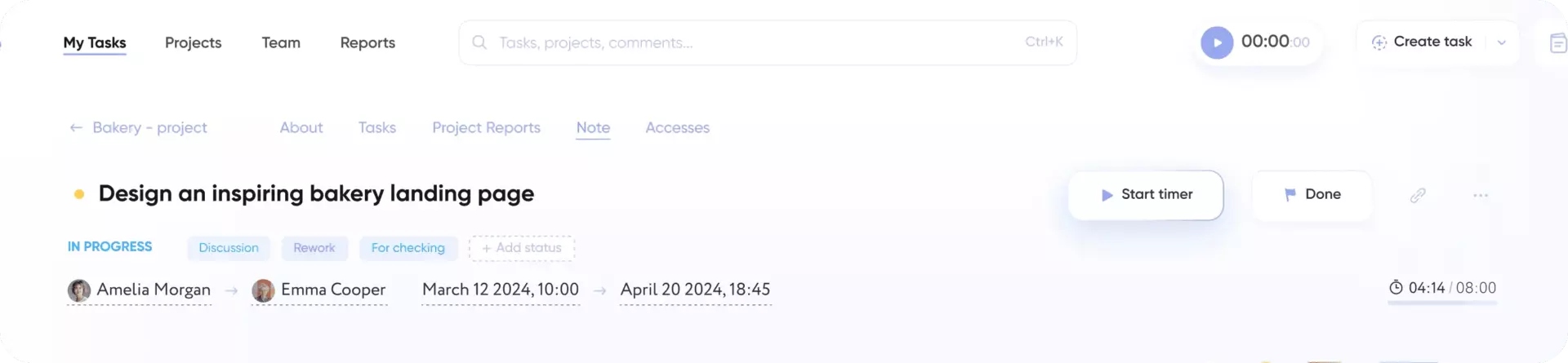
After completing the task, you can close it to mark it as completed. As a result, it will not be displayed on the task list and on the project board.
Closing is what keeps the working views honest. A list and a board are only useful while they show current work; once finished items accumulate on them, people start filtering mentally, and shortly after that they stop trusting the view. Closed tasks come off both, while the record itself remains — the time tracked against a closed task still counts in reports, so closing a task tidies the view without erasing the history.
Who runs on tasks Link copied!
Task management is the layer every team touches, but the reason differs.
Teams juggling many small items — support queues, operations, internal requests — need capture and triage more than planning. Tags and priority do most of the work here. See support teams and operations.
Teams with handoffs need the discussion and the assignee to travel with the work, because most delay in a handoff is time spent re-explaining context. See marketing teams, design teams and HR teams.
Client-facing teams need every piece of work attributable to a project and a person, because that is what a scope conversation and an invoice are built from. See agencies and consulting.
Individuals and very small teams often start here and add nothing else for months — a task list with deadlines and tags is a complete system on its own. See freelancers and personal productivity.
Tasks, projects and boards Link copied!
These three sit in a hierarchy, and knowing which one to change saves a lot of hunting.
A task is one piece of work with one owner. Everything on this page is about the task.
A project is the container that defines what tasks in it can look like — the available statuses, the tag groups, the deadline the whole thing is working towards, the people who have access. If you want a new status or a new tag group, that is project management, not a task setting. Setting up the container itself is project creation.
A board is a way of looking at the project’s tasks, arranged by status. See Kanban boards. The board and the task list show the same tasks; neither is the master copy.
And time tracking runs against tasks, which is why tracked hours can always be traced back to a specific piece of work rather than to a category.
Capture your team’s first tasks — create a company in Taskee. Task management sits on that same single plan — see pricing.


